"Hello - there isn't an official changelog, mainly because the functionality is pretty much the same. Over the years we have fixed bugs that are reported and maintained compatibility with all released versions of AutoCAD. Please continue this…"
advanced rendering for AutoCAD
Adding materials to an AutoCAD Architecture 2018 model
I am a newbie to nXt. I used Accurender 2.0 - 4.0.
Things have changed!
I am a high school teacher and will use nXt for AutoCAD Architecture 2018 this year. Next year I have Sketch Up and Revit project students will work on.
I am having a hard time assigning materials to ACA objects. I have used this method that Rich sent me, but it assigns the same material to all objects.
In the project I am playing with now, I have 3 types of walls with different exterior materials: Stone, stucco and wood siding.
How do you assign a different material to each wall type. I have them on 3 different layers and 3 different wall styles.
Also, how do you add materials to embedded objects, like fascias, window frames, door frames, etc... (I use to assign materials based on the color of different objects, but I understand that is not used anymore.)
Thanks for the help in advance!!!
Allen
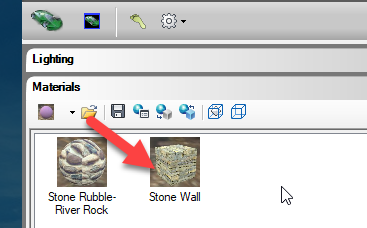
I typed in StyleManager in AutoCAD Architecture, ACA, and made these choices:
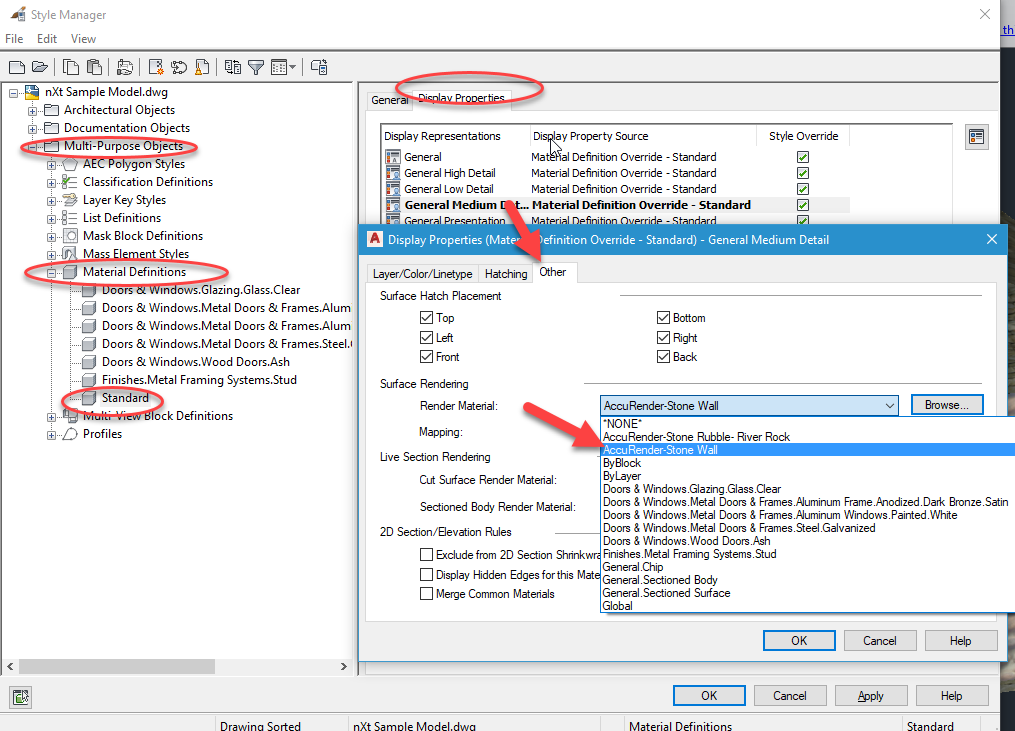
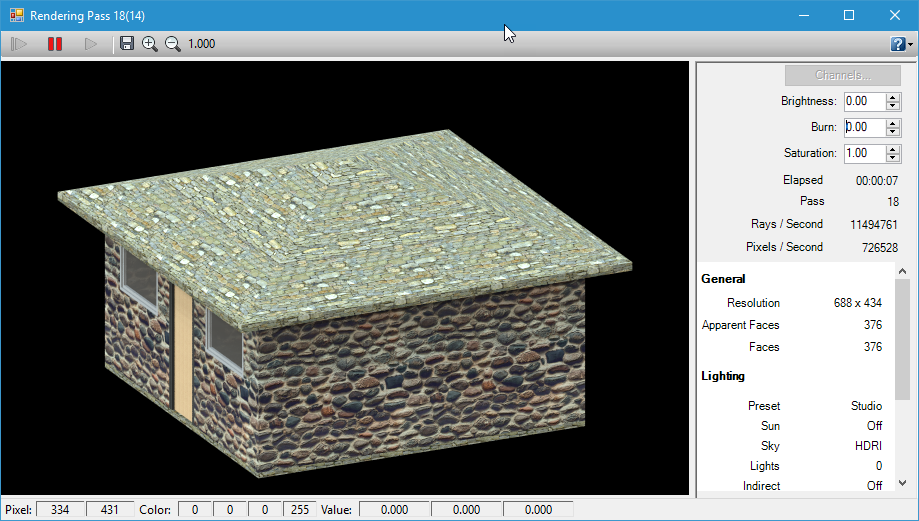
That put stone on the roof.
Then I did this:
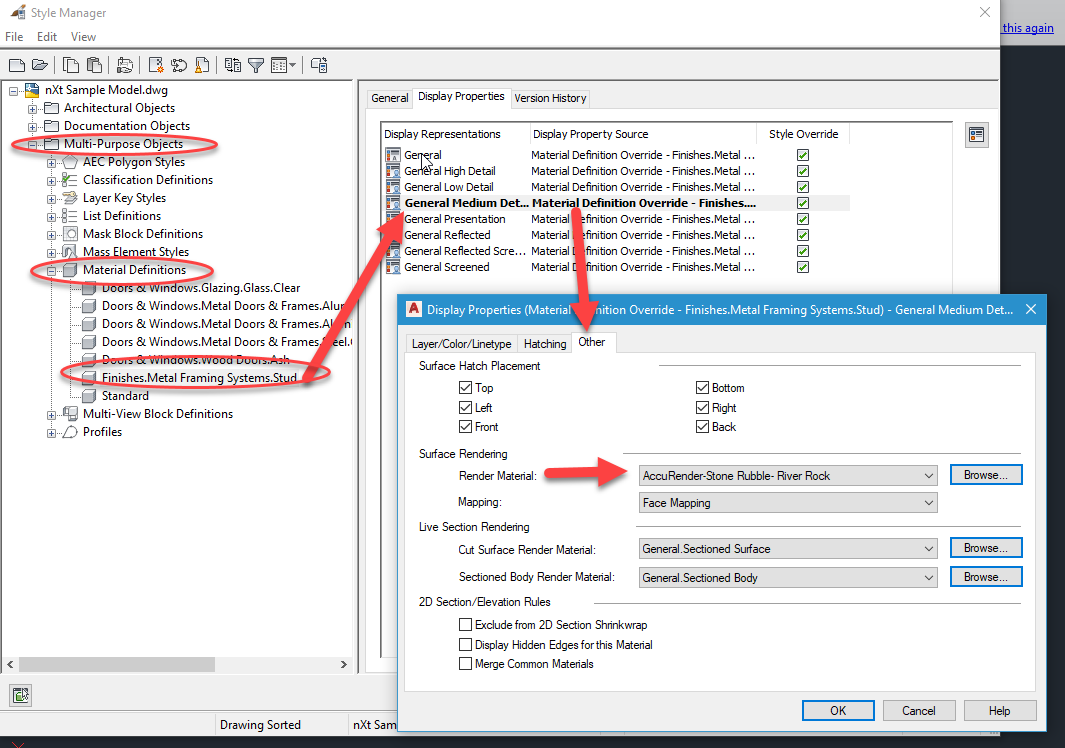
And that put River Rock on the walls:
Views: 445
Replies to This Discussion
-
Permalink Reply by Roy Hirshkowitz on
-
I don't have all the details at my fingertips-- but you do have to play ball with ACA to make this work-- I also can't tell how much of the following you've actually done.
You probably need a wall style for each wall type. You'll also need to create new ACA materials for each wall style-- at least for the exposed surfaces. At that point you can assign a render material (nXt material) to each ACA material. It should keep them straight when you do that.
Search
Translate
Latest Activity
nXtRender 0358-XE08 vs 0349-OA30 - What's new?
I'm considering upgrading my nXtRender from the very old arnxt64_0349-OA30 with AutoCAD 2008 to the new arnxt64_0358-XE08.Could someone please tell me what the main improvements, new features, or bug fixes are in the new version? Is there an official changelog available?See More
BATCH RENDERING FUNCTION
Good day, please does anyone know how the batch rendering function works in nxt render for autocad ?See More
RENDER FARMER SOFTWARE
Good day Roy,Please i need a link to the render farm software for nxtrender for autocad.Thanks.See More
"For compatibility with AutoCAD 2026 you would need to purchase a license upgrade for nXtRender (AccuRender). As an AR5 license holder you are eligible for a discount which we can give to you if you contact us at support@renderplus.com."
AutoCad 2026
Roy/ All,Currently use AR5 with AutoCad Architecture 2017. Have, and typically use ACAD 2022, but AR5 doesn't load, so I revert back to 2017 when it's time to use AR5).Long time user...had to create new profile due to Architecture firm closing (boss retired). Am now with GC firm and have been using old computer from Arch firm (Boxx Apexx 2) with above mentioned software. Been working fine. Just got new new computer, and am updating software.Downloaded AutoCad Architecture 2026. Where can I get…See More
© 2025 Header image courtesy Peter Milner
Powered by

